


How to Adjust Commercial Pella Casement Windows: A Comprehensive Guide
Pella casement windows are a popular choice in commercial buildings due to their durability, energy efficiency, and aesthetic appeal. Over time, these windows may require adjustments to ensure they continue to function smoothly and maintain their performance. Whether your window is sticking, not closing properly, or showing gaps that allow drafts, making the right adjustments can restore it to perfect working order. Here’s a step-by-step guide on how to adjust Pella casement windows in commercial settings.
Tools You Will Need:
Screwdriver (Phillips or flathead, depending on your window model)
Allen wrench (usually 1/8 inch)
Lubricant (silicone spray)
Cleaning cloth
Step 1: Diagnose the Problem
Before making any adjustments, it’s crucial to identify what exactly needs fixing. Common issues with Pella casement windows include:
Window is hard to Open or Close: This might be due to dirt in the tracks or hinge problems.
Window doesn’t stay Open or Closed: The sash or hinges might be loose.
Drafts or gaps: The sash might be misaligned, or the weatherstripping might be worn out.

Step 2: Clean the Tracks and Hinges
Sometimes, simple cleaning can resolve many issues.
Remove Dirt and Debris: Use a vacuum cleaner with a brush attachment to clean the window tracks and hinges.
Lubricate: Apply a silicone spray lubricant to the hinges and moving parts of the window. Avoid oil-based lubricants as they can attract more dirt.

Step 3: Adjust the Sash
The sash is the part of the window that moves. If it’s not aligned correctly, the window won’t operate smoothly.
Check the Hinge Screws: Tighten any loose screws on the hinges using a screwdriver.
Adjust the Sash: Locate the adjustment screws on the window sash. These are typically found on the side of the sash or at the top and bottom corners.
Horizontal Adjustment: Use an Allen wrench to turn the screws. Turning clockwise usually moves the sash closer to the frame, while counterclockwise moves it away.
Vertical Adjustment: If your window has vertical adjustment screws, turning them will raise or lower the sash.
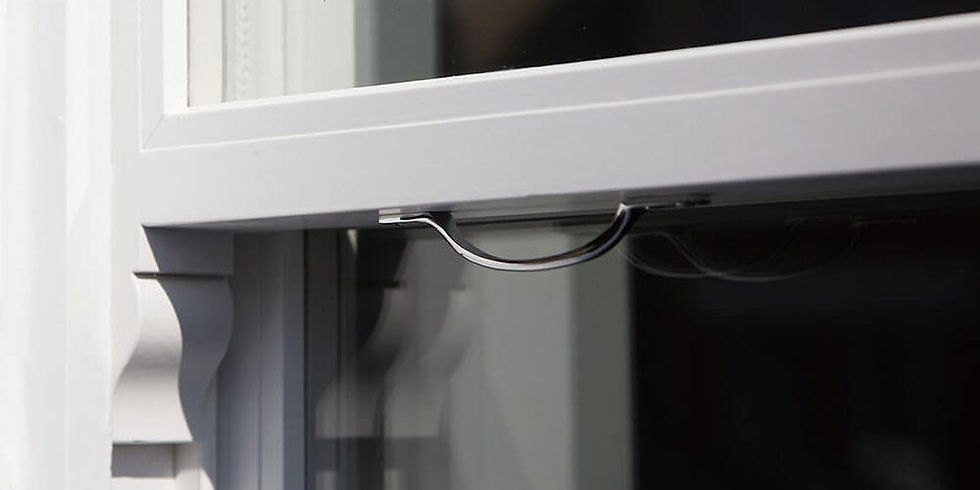
Step 4: Adjust the Lock Mechanism
If the window isn’t locking properly, the lock mechanism might need adjusting.
Inspect the lock: Be sure to align the lock and keeper (the part the lock engages with).
Adjust the keeper: Loosen the screws holding the keeper in place and move it slightly up or down until it aligns correctly with the lock. Tighten the screws once aligned.

Step 5: Check & Replace Weatherstripping
Weatherstripping prevents drafts and ensures a tight seal.
Inspect the weatherstripping: Look for any signs of wear or damage.
Replace if necessary: Peel off the old weatherstripping and clean the area thoroughly. Apply new weatherstripping, It should seal tightly when you close the window.

Step 6: Final Adjustments and Testing
After making the necessary adjustments, it’s essential to test the window to ensure everything works correctly.
Open and close the window: Do this several times to ensure it operates smoothly and without any sticking.
Check for drafts: On a windy day, or using a small piece of tissue paper, check for any drafts around the window edges.
Ensure proper locking: Lock the window to ensure the lock mechanism works seamlessly and that the window stays securely closed.

Troubleshooting Tips
If the window remains hard to operate: Double-check for any remaining dirt or debris and ensure all screws are tightened properly.
If drafts persist: Verify that the weatherstripping is installed correctly and that there are no gaps.
For persistent issues: Contact Us for further assistance! Our Window Technicians are qualified and ready to help.
By following these steps, you can maintain the functionality and efficiency of your Pella casement windows in commercial settings, ensuring they continue to add value to your building. Regular maintenance and timely adjustments can extend the lifespan of your windows and keep your commercial space comfortable and energy-efficient.


Comments